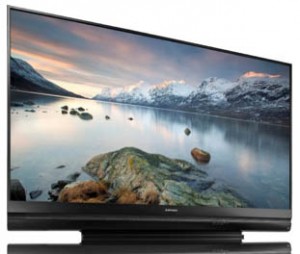
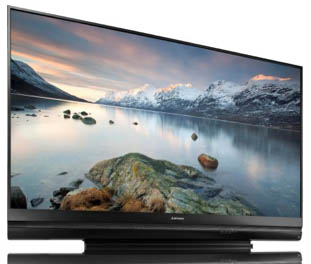
Samsung HLP5063

Sep 02, 2008 in Sony

My picture is out I heard a “slight” grinding i think its the color wheel. Originally the picture went to a pink tone and then flickered and went out completely. shutdown and it did the same thing minus the pink tone. light fires up when i turn on the TV but shuts down in 5 seconds and i hear the slight grinding I removed the colorwheel and the bearing seems a bit rough. Any help please.

HLP6163 flickered with weird colors and loud humming

Jun 18, 2008 in Samsung, Samsung Lamps

Yesterday, I noticed that my HLP6163 started flickering a lot with colors totally off. I tried switching video inputs and I kept getting the same thing. So I turned it off, let it sit for about a half hour, and then turned it back on. I got sound but no video as the tv cycled through 3 times automatically of turning it off and on, and on each attempt I could hear the fan (or at least that’s what I think it is) struggle to turn on properly, until finally I got the dreaded 3 blinking lights. I turned it off again, only this time by pulling out the power cord as well. This morning, I plugged it back in, turned it on, and the tv cycled 3 times just like yesterday, but the faint fan noise was now a loud, distinct humm that pitched up and down. I have no idea what’s wrong. I suspect it to be the lamp, but I just got a new one put in on 8/17/07 (BP9600826A from samsungparts.com) and I’ve never heard of this loud humming noise before. From reading the posts, maybe I need to get a new fan or colorwheel as well?

JVC PK-CL120U - The NEW JVC D-ILA TV Lamp for 2008…dissected first on FixYourDLP.com!

May 06, 2008 in JVC D-ILA

We’ve got our hands on the lamp that sits in the latest line of JVC TVs for 2008…as we predicted, JVC has changed lamp manufactures. Philips and Philips Lighting has won the contract and for good reason!

Below are a few snapshots…as more information becomes available we will update this page.

Let us know if you have any information on compatibility, etc.

JVC lamp enclosure pictures- exclusive!

The new JVC replacement lamp, PK-CL120U, is currently compatible with all the latest 2008 model TVs, including the ultra slim:

HD-65S998 (65" HDILA D-ILA TV) Here’s the user manual for your conveience and reference
HD-58S998 (58" HDILEA D-ILA TV) Here’s the user manual for your conveience and reference

(more…)

Hitachi UX21511 LC37 Lamp Housing / Enclosure / Cage / Assembly / Box

Mar 06, 2008 in Hitachi

Hitachi UX21511 LC37 Lamp Housing / Enclosure / Cage / Assembly / Box

Abstract: This guide is to get you more familiar with your Hitachi TV and your replacement lamp options
Keywords: Hitachi UX21511 LC37 Lamp Bulb UHP Housing Replacement Manual Guide Repair Troubleshoot
BODY:

The Hitachi UX21511 Enclosure at first glance is very similar to the Hitachi UX21513, UX21517, UX21518, and other Hitachi enclosures, but it’s different ;)

The Hitachi UX21511 Enclosure uses lamp type LC37. The enclosure is made up of the following pieces:
External Sheet Metal Cage/Housing: part number: NA63991
Internal Sheet Metal: part number: NA72182
Plastic Shell/Cage: NT0455
Clip, holding down the lamp: NA63941

Here are a couple of pictures of the enclosure:

Hitachi UX21511 Lamp Housing Assembly Enclosure

Hitachi UX21511 Lamp Housing Assembly Enclosure2

At first glance, this Hitachi enclosure looks similar to other enclosures reviewed on this site, but there are a few minor, but extremely important differences. All in all this enclosure is compatible with at least the following TVs:
50V500
50V500A
50VX500
60V500
60V500A
60VX500

Let us know if we need to edit this blog entry with additional compatible models!

So what’s different about this enclosure?

Hitachi UX21511 Lamp Housing Assembly Enclosure3
The rear "pull out" view of the enclosure is shown here. Shown with arrows, we have EX1) and EX2) .

Hitachi UX21511 Lamp Housing Assembly Enclosure4
In the picture above, you can see (EX1 ) that no visible hole drilled out on the Hitachi UX21511 Type A, however, on other Hitachi enclosures such as the UX21513 Type B, this area has been drilled out.

Hitachi UX21511 Lamp Housing Assembly Enclosure3
In photo3, we’re looking at the area EX2 (opposite side of the enclosure), which has been drilled out and is stamped with an "A"

Now that we’ve identified your Hitachi enclosure, how do we disassemble it?
All our user guides are available at: http://guides.fixyourdlp.com

Ok…but how do I know if my Hitachi Projection LCD TV has a bad lamp? How do I diagnose my TV in general?
Here’s a quick Q&A that might help…

Does the LAMP LED indictor stay on (solid)?
If yes, you probably have a bad lamp. Replace and recheck. If not lamp, your ballast is not lighting your lamp…replace that if still no power.

Does the LAMP LED indictor blink continuously?
If yes, than the lamp sensor door might be acting up…or you just don’t have the lamp cover in place. Without the lamp cover, your Hitachi TV will not power on. If you’ve never tampered with this cover, we suggest removing the lamp cover, taking out your lamp enclosure and visually inspecting your lamp. If it looks ok, without any bulges in the center of the filament or other signs of damage, replace the lamp enclosure back in place, tighten all screws, and carefully place the rear lamp cover back on. Check to make sure the lamp door cover is being activated.

Does the TEMP LED indictor stay on (solid)?
If yes, your TVs internal temperature is too high. Make sure there is decent ventilation on the back side of the TV. If the TV is in a sealed entertainment center, this could be the problem. Remove your TV from the current air-restrictive environment and try to turn it on again…if problem persists, contact an authorized Hitachi servicer.

Does the TEMP LED indictor blink continuously?
If yes, one of your internal fans might be malfunctioning. Check fan functionality. Remember it is normal that your TEMP LED blinks continuously until it cools down…this could take up to 3 minutes.

Does the POWER LED indictor Blink continuously (FAST)?
If yes, temperature sensor near fan is too hot. Allow TV to cool down. Do not unplug from the wall!

Does the POWER LED indictor fail to come on?
If yes, replace lamp.


Read everything so far, so where can I get a good deal on a replacement lamp?
If you’re looking for just the bare bulb/lamp, click here:
http://www.discount-merchant.com/Hitachi-UX21511-Projection-LCD-TV-Replacement-LAMP-p/hitachi_lcd_tv_lamp_ux21511.htm&Click=1683

If you’re looking for the complete lamp enclosure (lamp and housing assembly already put together), click here:
http://www.discount-merchant.com/Hitachi-LC37-UX21511-Projection-LCD-TV-LAMP-Bulb-p/hitachi_lc37_ux21511_lamp_enc.htm&&Click=1683

OK, so…I got all that, but where’s my lamp enclosure located??
Click here for lamp replacement instructions from Hitachi’s instruction manual

Hitachi 50VX915 50-inch rear-projection LCD HDTV:

Sep 17, 2007 in Hitachi

The Hitachi 50VX915 is a rear projection high definition television and uses the LCD technology. It has a 50 inch screen size and is from Hitachi’s Directors Series. The thin and compact black cabinet of the set looks very stylish with the glossy finish. The input controls like the volume and the channel buttons are located at the side of the cabinet which gives the front of the cabinet a clean look. This keeps the controls out of sight yet very easily accessible.The wide screen format of the set has been designed to reducing the glare and reflections. Performance wise the Hitachi 50VX915 offers excellent picture with high level of details and high contrast. The black levels of the set too are quite commendable. The high native display resolution of the set enables it to display high definition content at 720p or 1080i. The USB port enables the user to view any pictures or videos directly from the USB device like the digital camera.

The three way speaker system of the Hitachi 50VX915 delivers high quality sound with a total output of 40 watts (20 X 2). The vertical stereo speakers attached to the cabinet give the set a touch of class. The depth of the set is just a little less than 16 ½ inches which may give you an idea of how compact the set really is. The universal remote has a very easy layout and the roll and click wheels offer easy navigation.

Discount-Merchant.com is among the nation’s largest plasma and LCD TVs replacement parts providers. If you need replacement PCBs, remotes, outer cases, stands, or anything else related to Plasma and LCD TV’s, visit Discount-Merchant.com.

Hitachi 50V720 50-inch rear-projection LCD HDTV:

Sep 17, 2007 in Hitachi

The Hitachi 50V720 is a rear projection television that uses LCD technology and has a 50 inch screen size. The cabinet has been aesthetically designed with the use of a dual toned silver and black cabinet. The front side of the set has been kept clean and tidy by shifting the control buttons at the side of the cabinet. This positioning keeps them out of view yet easily accessible.

The dimensions of the set are 54 ½ inches in width, 35 ½ inches in height and 16 ½ inches in depth. The set tips the scales at a meager 114 pounds. Inspite of the compact structure the set packs in plenty of feature to give the user a better viewing experience. The inclusion of a CableCard slot enables the user to view cable TV without the need for buying additional set top boxes. Split screen viewing mode can be used for both standard as well as high definition content.

The Hitachi 50V720 delivers a full native resolution of the 1920 X 1080 which helps in showing all the input signals at 1080p. it is the highest resolution available today. The internal speakers of the set fitted inside the cabinet deliver a total output of 24 watts (12 X 2). The set also has plenty of input interfaces which can be used for attaching additional devices such as the DVD player.

Discount-Merchant.com is among the nation’s largest plasma and LCD TVs replacement parts providers. If you need replacement PCBs, remotes, outer cases, stands, or anything else related to Plasma and LCD TV’s, visit Discount-Merchant.com.